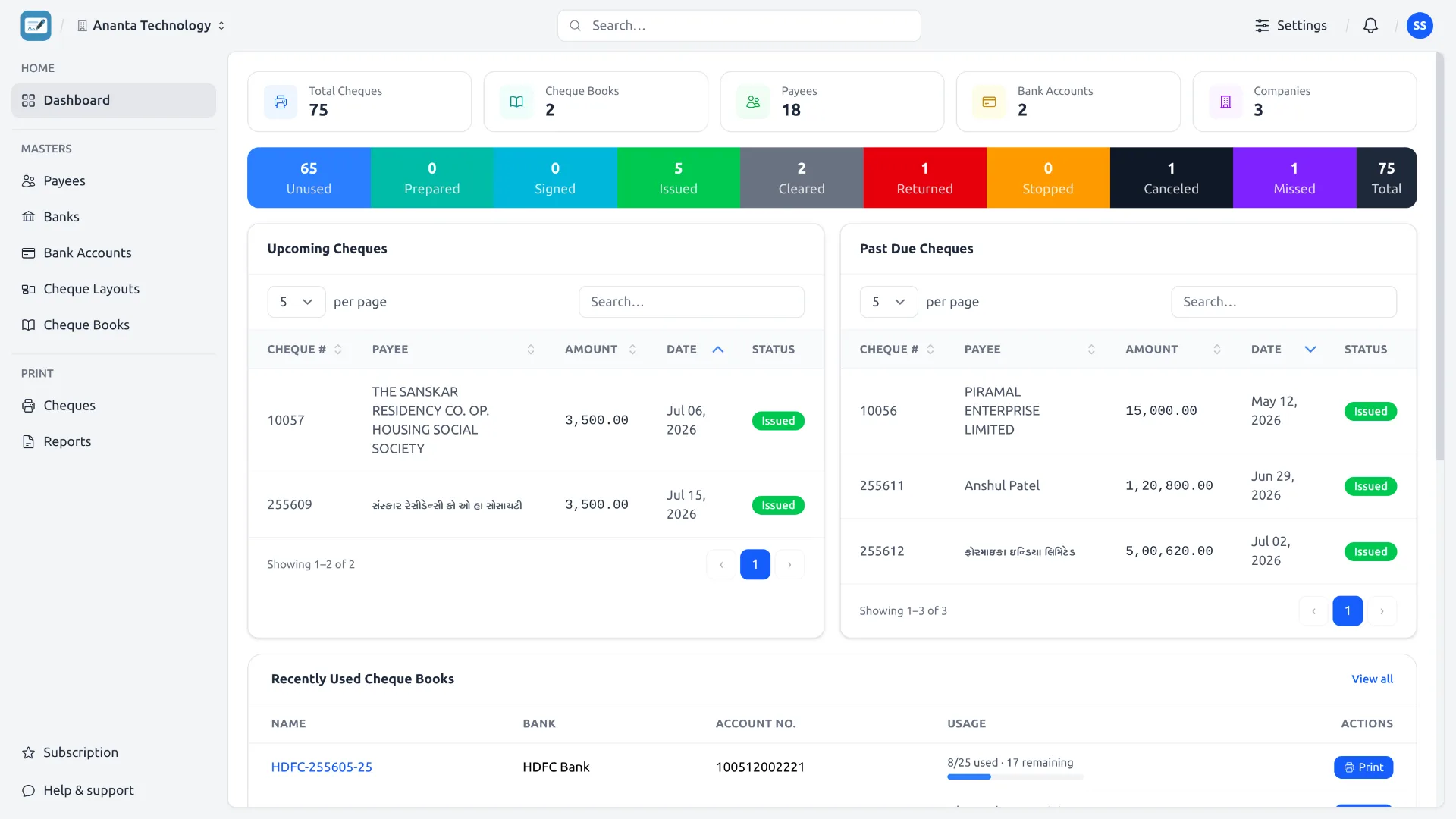
The Dashboard is your home screen. Everything on it is scoped to the current company shown in the top bar.
What each block shows
- Stat cards — Total Cheques, Cheque Books, Payees, Bank Accounts and Companies. Click any card to open its list.
- Status summary bar — a colour-coded bar with the count of cheques in each status (plus a total).
- Upcoming Cheques and Past Due Cheques — cheques dated today-or-later vs. before today. Click a row to open the print panel.
- Recently used cheque books — with a usage bar (used / total) and a quick Print button.
- Recent Cheques — the last cheques you worked on, each with a Print action.
New to statuses? See Meaning of Cheque Statuses.
See it in the app